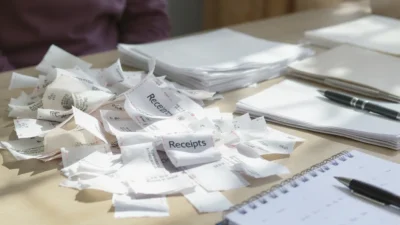
You know the scene: a crucial bill is due, and you’re frantically shuffling through a chaotic pile of unopened mail on the counter, loose receipts spilling from your wallet, and that ominous “to-file” stack that’s been growing for months. This physical clutter of financial paperwork isn’t just a messy eyesore—it directly fuels mental clutter and a low-grade anxiety about missing payments or losing deductible expenses. The good news is that you don’t need a complex, perfect system to fix it. What you need are a few immediate, actionable bills and receipt organization hacks that you can start using today to cut through the chaos. This guide delivers exactly that: a simple checklist to stop the bleeding, followed by clear, sustainable systems to choose from, all designed to transform that pile of “money clutter” into a sense of calm control.
The fastest way to organize bills and receipts is to first sort everything into ‘action,’ ‘file,’ and ‘shred’ piles. Then, implement a simple, consistent system—like a labeled accordion folder for physical items or a dedicated email folder and scanning app for digital ones—and schedule a brief weekly session to process new paperwork. This core philosophy of sort, systemize, and sustain will build a lasting habit and clear your space.
Your Immediate Action Checklist: 5 Hacks to Start Today
Let’s cut through the overwhelm. You don’t need a perfect system right now; you need momentum. These five bills and receipt organization hacks are designed to be done today, with items you likely already have. They will instantly reduce your financial paper clutter and create a foundation for a lasting system.
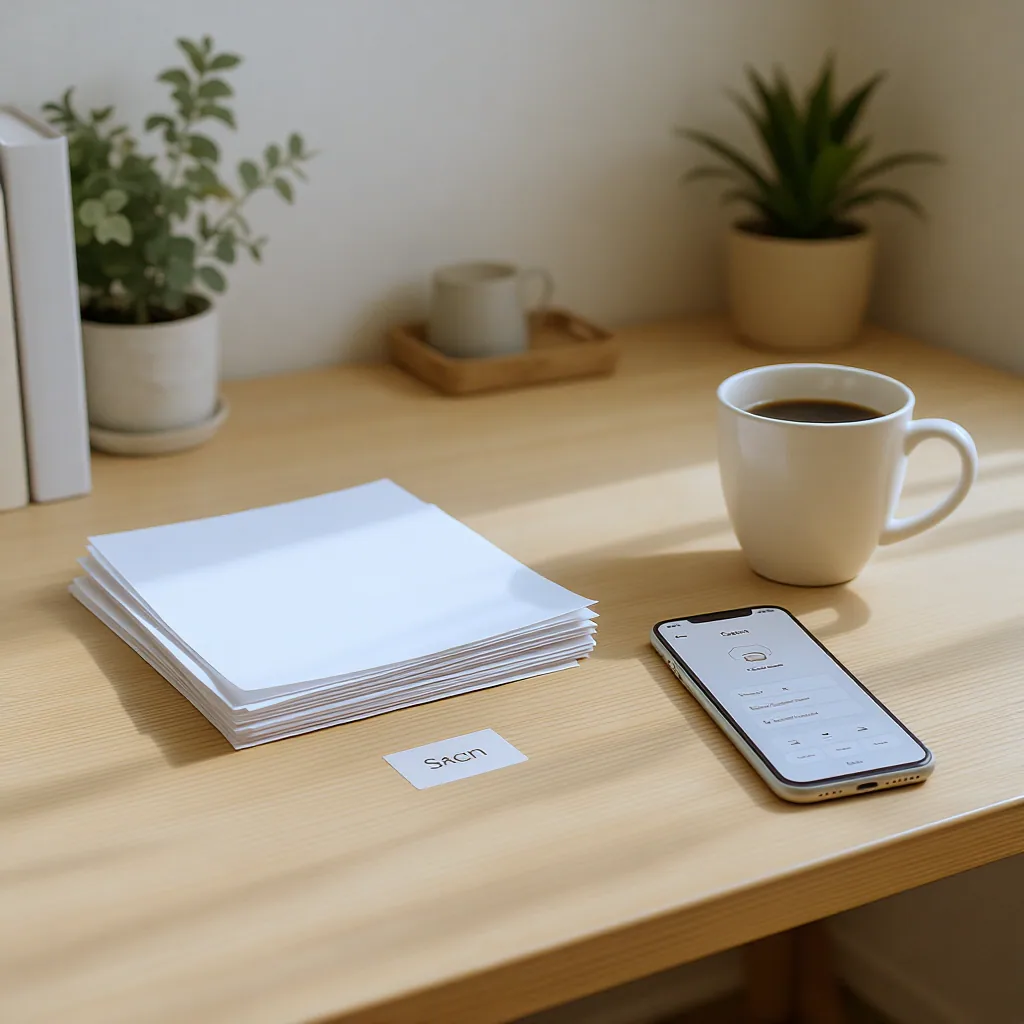
- The 60-Second Daily Mail Sort. When you bring in the mail, don’t set it down. Immediately stand by a recycling bin. Open everything. Junk mail? Recycle. Catalogs? Recycle. Keep only bills, statements, and important correspondence. This one habit prevents 90% of paper pile-up.
- The ‘One-Touch’ Rule for Receipts. The moment you get a receipt, decide its fate. If it’s not needed for taxes, returns, or warranties, toss it right then. If you must keep it, put it in one designated spot—a small tray, a clipped envelope on the fridge, a specific pocket in your bag. No more crumpled receipts in every jacket and drawer.
- Designate a ‘Bill Action Station’. Grab a single folder, binder, or even a large envelope. Label it “TO PAY/REVIEW.” This is now the only home for unpaid bills and statements needing attention. It’s not a filing cabinet; it’s an action inbox that prevents urgent items from getting lost.
- Quick Digital Capture with Your Phone. For receipts you know you’ll need (like a big purchase), use your phone’s built-in Notes app. Take a photo, and immediately label the note with the store and date (e.g., “Office Chair – Staples – Apr 2024”). It’s a searchable, instant backup that takes 15 seconds.
- Schedule a 15-Minute ‘Paperwork Power Hour’ for This Week. Open your calendar right now and block 15 minutes before the week ends. This is your time to process the ‘Bill Action Station,’ file what’s been paid, and scan or shred what you’ve accumulated. Consistency beats marathon sessions.
Your Starter Kit (No Shopping Required)
- A sturdy envelope or a single folder.
- A pen for quick labeling.
- Your smartphone’s camera and Notes app.
- A recycling bin placed near where you open mail.
- A calendar reminder for your first 15-minute session.
Choosing Your Core Organization System: Physical, Digital, or Hybrid?
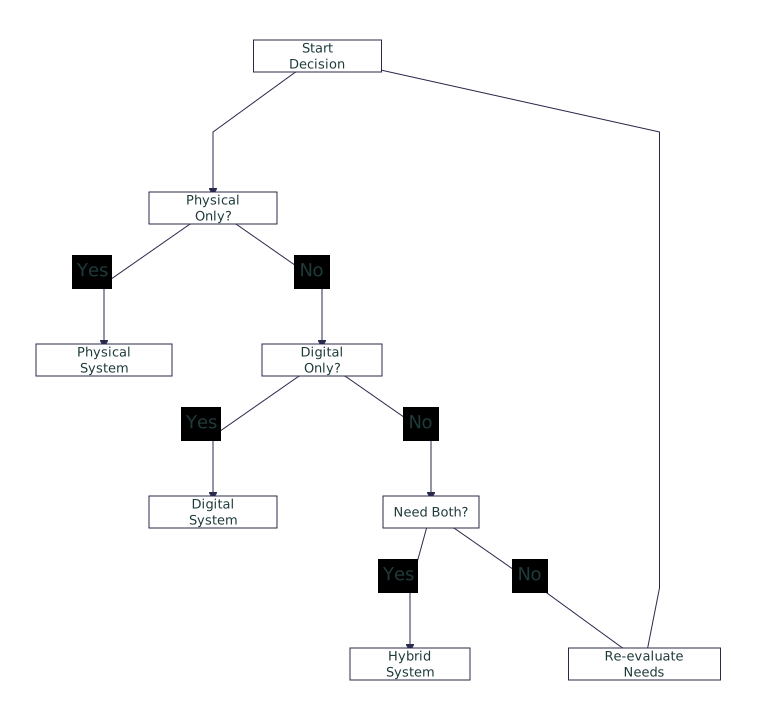
The best system is the one you’ll actually use. Before you buy any fancy supplies or apps, ask yourself a simple question: Do you prefer touching paper or looking at screens? Your honest answer is the best guide to organize bills and receipts in a way that sticks. Let’s break down the three main approaches.
The Physical System: Tangible and Straightforward
This is the classic method: paper goes into labeled folders in a filing cabinet or box. It’s ideal if you dislike relying on technology, need to keep original hard copies (like property deeds), or simply think better with physical paper in front of you. The downside is it requires physical space and can become unwieldy if you never purge old documents.
The Digital System: Searchable and Space-Saving
Here, you scan or download every document and store it in a logical folder structure on your computer or in the cloud. The huge advantage is searchability—finding “Q3 2023 electric bill” takes seconds. It also frees up physical space. The challenge is the upfront habit of scanning and the need for a reliable digital backup routine.
The Hybrid System: The Best of Both Worlds
Most people find a hybrid approach most realistic. You might keep current-year tax documents and active warranties in a physical folder for easy access, while scanning and shredding monthly utility bills once paid. Or, you keep all originals in one broad “Tax Documents” folder but maintain a digital spreadsheet log for quick reference. This balances the need for certain hard copies with the convenience of digital search.
Consider this real-life scenario: You buy a new microwave. The physical receipt goes into a “Warranties & Manuals” folder in your filing drawer. You also snap a photo of it with your phone and save it to a “Home Appliances” album or note. If you need to claim the warranty a year later, you have two ways to find the proof of purchase without digging through a year’s worth of paper.
Remember, this is about choosing a practical receipt management system for your life, not finding the theoretically “perfect” one. The goal is to reduce stress, not add a new chore.
Setting Up a Foolproof Physical Filing System
If you’ve chosen a physical or hybrid system, simplicity is your best friend. A complex system with dozens of sub-categories will fail because it’s too tedious to maintain. Here’s how to build a home office filing solution that works.
Gather Your Supplies (Keep It Basic)
You don’t need a full-sized cabinet. Start with one of these:
- An Accordion File: The ultimate beginner-friendly tool. It has built-in categories, is portable, and costs under $10.
- A File Box with Hanging Folders: A step up for more volume. Use labeled hanging folders for main categories and manila folders inside for sub-categories only if absolutely necessary.
- A Simple Binder with Sheet Protectors: Great for warranties, manuals, and receipts you reference often. You can flip through it easily.
Categorize with a Broad Brush
Do: Use broad, timeless categories. Think: “Utilities,” “Medical,” “Auto,” “Tax Documents,” “Home,” “Financial Statements,” and “Warranties.” Each gets one folder.
Don’t: Create a folder for “Electric Bill,” another for “Water Bill,” and another for “Internet Bill.” That’s a recipe for misfiling. “Utilities” covers them all.
Label and Locate
Clearly label each folder. Place your filing system as close as possible to where you open your mail or handle bills—a desk drawer, a shelf near the kitchen command center. If it’s out of sight and hard to reach, you won’t use it. The key to these bill filing hacks is removing friction at every step.
Going Digital: How to Manage Bills and Receipts on Your Devices
A digital system turns paper clutter into searchable data. The process has three parts: capture, organize, and backup. Here’s a straightforward digital receipt organization workflow.
Step 1: Capture with a Scanning App
Your phone is your scanner. Free apps like Adobe Scan or Genius Scan automatically detect edges, correct perspective, and save documents as clean PDFs. They’re far better than a simple camera photo. Make it a habit: scan the receipt as soon as you decide to keep it, then shred or recycle the physical copy (for non-essential items).
Step 2: Create a Simple Folder Hierarchy
In your cloud service (like Google Drive, Dropbox, or iCloud), create a master folder called “Finances.” Inside, create folders by year (e.g., “2024”). Within each year, have folders for “Bills,” “Receipts,” “Taxes,” and “Insurance.” You can further separate “Bills” by month if it helps. The goal is a maximum of 3-4 clicks to find anything.
Step 3: Master Your Inbox with Email Filters
For e-bills and digital statements, let technology do the mail sorting. Create a dedicated email folder (e.g., “Financial Admin”). Then, set up filters or rules to automatically send emails from your bank, utility company, or credit card provider directly into that folder. Once a week, you process that folder instead of hunting through your main inbox.
Critical Security Note: Always use strong, unique passwords for your cloud and email accounts, and enable two-factor authentication. Your digital financial documents are sensitive.
The Maintenance Rhythm: Small Habits That Prevent Big Piles
Any system, no matter how beautifully designed, will collapse without maintenance. The secret isn’t willpower; it’s designing a rhythm of tiny, non-negotiable habits. This is the core of lasting financial paper clutter tips.
The Daily Habit: The 60-Second Sort
We mentioned this in the checklist, but it bears repeating. The daily mail sort is your first and most important defense. It prevents the “pile of doom” from ever forming.
The Weekly Ritual: The 15-Minute Financial Refresh
This is your system’s heartbeat. Every week (Friday afternoon or Sunday evening often works well):
- Gather all receipts from your “one spot” and process them (scan & shred, or file).
- Open your “Bill Action Station” folder. Pay any bills due soon, file any that are paid.
- Check your digital “Financial Admin” email folder. Download and file any statements.
- Quickly scan your physical and digital filing systems to ensure nothing is misfiled.
This small investment prevents the weekend-long organizing marathons and the anxiety of lost bills.
The Quarterly Review: The Shred & Refresh
Every three months, during one of your weekly sessions, take an extra five minutes to look for documents that have passed their retention date (see next section). Shred them. This keeps your physical and digital folders lean and functional.
What to Keep, What to Shred: A Simple Retention Guide
Uncertainty about what to toss is a major cause of clutter. You hold onto everything “just in case.” Let’s demystify this with a plain-language retention guide. (Note: For specific legal or tax advice, always consult a professional in your jurisdiction.)
Think in these four timeframes:
- Forever (Permanent File): Keep these physical originals in a safe, fire-resistant location. This includes documents like tax returns (the actual 1040 form), property deeds, vehicle titles, and birth certificates.
- 7 Years (Tax Support File): The IRS generally has three to six years to audit, so keeping supporting documents for seven years is a safe rule. This includes receipts for deductible expenses, charitable donation records, and records related to home improvements.
- 1 Year (Active Bills File): Most monthly utility bills, bank statements, and credit card statements can be shredded once you’ve confirmed payment and the next month’s statement has arrived. If you use them for budgeting, keep them digitally for the year.
- Until Expiration (Short-Term File): Keep receipts for items under warranty until the warranty period ends. Keep receipts for items you might return until the return window closes.
This framework helps you make quick decisions and frees up massive amounts of space, both physically and mentally.
Common Paperwork Organization Pitfalls (And How to Avoid Them)
Even with the best intentions, people often stumble on the same hurdles. Recognizing these common mistakes can help you sidestep them and keep your financial paper clutter tips effective.
Pitfall 1: Buying a Complex System Before Sorting
The Mistake: Purchasing a elaborate filing cabinet, a dozen colorful bins, and a label maker before you’ve even sorted a single pile. The Hack: Sort first. Use the free “hacks” from the start of this article. You’ll discover what you actually need before spending money on what you think you need.
Pitfall 2: Filing Instead of Taking Action
The Mistake: Putting an unpaid bill into a “Bills” folder. Out of sight, out of mind—until it’s late. The Hack: Remember the “Bill Action Station”? Unpaid bills do not get filed. They stay in the action folder until processed. Filing is for archived, completed items only.
Pitfall 3: Not Having a ‘To-Process’ Bin
The Mistake: Letting receipts and papers land anywhere because there’s no designated “inbox.” The Hack: That small tray or envelope from Hack #2 is non-negotiable. Every piece of paper that enters your home and needs attention goes there first. It’s the landing pad that prevents scatter.
Pitfall 4: Ignoring Digital Clutter
The Mistake: Meticulously organizing paper while your email inbox has 4,000 unread messages, including vital e-bills. The Hack: Apply the same principles. Use email folders and filters aggressively. Schedule a monthly “digital declutter” to unsubscribe from junk and delete old downloaded files.
Adapting These Hacks for Small Business or Side Hustles
If you have business income or expenses, organization isn’t just about neatness—it’s about money. Proper records are essential for tracking profitability, claiming tax deductions, and surviving an audit. The core principles remain, but with heightened importance and separation.
Physically Separate: Immediately get a separate, distinctly colored accordion file or binder for all business-related papers. This could be labeled “Business 2024” and have tabs for “Income,” “Expense Receipts,” “Mileage Log,” “Tax Documents,” and “Contracts.” Never mix personal and business papers in the same folder.
Digitize Religiously: For a business, a digital system is almost mandatory for efficiency. Create a dedicated folder on your cloud drive (e.g., “MyBusiness > 2024 > Q1Expenses”). Scan or photograph every single business receipt immediately. Consider using a dedicated app like QuickBooks or Expensify to track and categorize expenses on the go.
Log Mileage and Time: Don’t rely on memory. Use a simple notepad in your car or a mileage-tracking app. For time-based work, use a time-tracking app or a dedicated calendar. These logs are critical records that are easy to create in the moment and impossible to recreate accurately later.
From Clutter to Control: Your Path Starts Now
The goal of all these bills and receipt organization hacks isn’t a picture-perfect filing cabinet. It’s peace of mind. It’s knowing exactly where your property tax statement is three years from now. It’s opening your mail without a sigh of dread. It’s the mental space that opens up when physical clutter disappears.
Remember, progress beats perfection every time. If you only implement the 60-second daily mail sort and schedule your first 15-minute weekly session, you’ve already made a transformative change. You’ve moved from being passive and overwhelmed to being active and in control.
Start with one hack that feels doable today. Let that small win build momentum. A clear desk is more than just a tidy space—it’s the foundation for a clearer, more confident financial life. You’ve got this.
To permanently conquer money clutter, follow a simple three-part philosophy: Sort, Systemize, Sustain. First, do a ruthless sort of all existing paper into Action, File, and Shred piles. Next, choose a core system that fits your life—a simple physical filing system with broad categories, a digital system using scanning apps and cloud folders, or a practical hybrid of both. Finally, and most critically, sustain it with micro-habits: the daily mail sort, a weekly 15-minute paperwork session, and a quarterly purge. Consistency in these small actions is what prevents the big, overwhelming piles from ever returning.
Q: How long should I keep credit card statements?
A: For routine monitoring, you only need the most recent statement. For tax purposes, if your statements include