You know the feeling. A forgotten bill triggers a late fee, a subscription you barely use renews automatically, or a casual week of spending leaves your account dangerously low. These financial surprises aren’t just annoying—they actively sabotage your budget and your peace of mind. The good news is that you don’t need a complex, restrictive budget to stop them. What you need is a simple, proactive system of warnings. This is where a budget alert checklist comes in. Think of it less as budgeting and more as installing a financial early-warning system across the three main areas where money leaks happen: your predictable bills, your daily spending, and your silent subscriptions. By setting up a few strategic notifications, you shift from reacting to financial chaos to controlling it, preventing costly mistakes before they happen and creating immediate, tangible relief from money anxiety.
A budget alert checklist is a proactive system of notifications you set up across three key areas: fixed bills, daily spending, and subscriptions. Its purpose is to prevent financial surprises by giving you timely warnings before money leaves your account or a payment is due. To create one, you’ll review your statements, choose your alert tools (like your bank’s app, calendar, or a budgeting app), and configure specific triggers for each category, such as a reminder for a bill due date or a warning when you near a spending limit.
The Core Protocol: A Three-Category Alert Framework
Forget complex spreadsheets for a moment. The most effective financial alert system isn’t about tracking every penny after it’s spent; it’s about creating a simple, proactive notification system that matches how money actually moves out of your account. This approach separates your financial life into three distinct streams, each with its own type of leak.
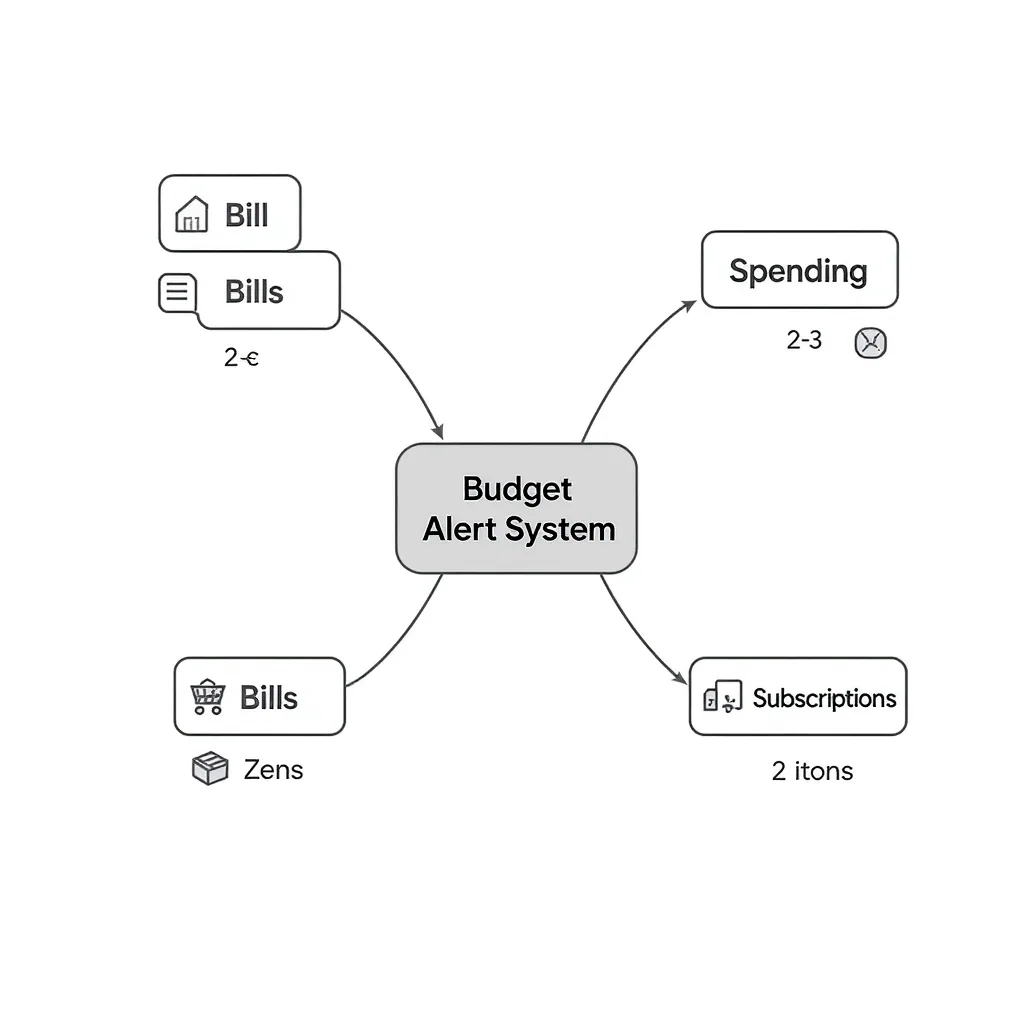
By setting up targeted expense notification checklists for each category, you address the specific stressor it causes. Bills are predictable but high-stakes (late fees). Daily spending is variable and behavioral (overspending). Subscriptions are silent and recurring (forgotten drains). Treating them as separate protocols means your alerts are relevant and actionable, not just noise.
Category 1: Bill Due Alerts (Prevent Late Fees)
This category is your defense against late fees and credit score dings. The goal is to create a failsafe system so a due date never surprises you. Here’s your actionable mini-checklist for bill due alerts.
Photo by Tara Winstead on Pexels
Your Bill Alert Setup Checklist
- List Every Bill & Its Due Date: Grab your last month’s bank/credit card statements. Write down every recurring bill: rent/mortgage, utilities (electric, water, gas), loans (car, student), insurance premiums, and any memberships. Note the exact due date and average amount.
- Set Two-Tier Alerts: For each bill, create two reminders. The first alert should be 5-7 days before the due date (a “heads-up”). The second should be 1-2 days before (the “action now” reminder). This buffer accounts for processing times or busy weeks.
- Choose Your Primary Alert Channel: Decide where these alerts will live. Your digital calendar (Google, Apple, Outlook) is ideal for visual date-based reminders. Your bank’s bill pay service may also offer bill payment reminders. Pick one central place to avoid confusion.
- Verify & Confirm: After you pay a bill, mark it as paid in your system. Enable automatic budget notifications from your bank for “payment posted” or “payment processed” so you have a digital receipt and confirmation the task is complete.
For maximum automation, investigate setting up autopay for fixed-amount bills, using your alerts as a backup verification system. The Consumer Financial Protection Bureau offers a helpful guide on managing automatic payments safely.
Category 2: Spending Limit Alerts (Curb Daily Overspending)
This isn’t about micromanaging every coffee. It’s about creating guardrails for your variable spending—groceries, dining out, fuel, entertainment—so you’re aware before you overshoot. Imagine this scenario: You’re at the grocery checkout and get a simple text: “Weekly Food budget at 90%.” That’s the power of a spending limit warning in action.
How to Set Up Awareness Alerts
Your banking or budgeting app is the primary tool here. Log in and navigate to the alerts or notifications section.
- Low Balance Alert: Set an alert when your checking account balance falls below a threshold you define (e.g., $100 or one week’s estimated spending). This is a foundational money management alert.
- Large Transaction Alert: Enable notifications for any debit or charge over a specific amount (e.g., $50 or $100). This catches impulse buys and helps verify legitimate purchases instantly.
- Weekly Category Caps (Advanced): If you use a budgeting app like Mint or YNAB, you can set it to notify you when you near the limit you’ve set for a category like “Restaurants” or “Shopping.” This turns a static budget into an interactive expense notification checklist.
The goal isn’t to stop the transaction at 90%, but to make you consciously decide, “Do I need to adjust my plan for the rest of the week?” It transforms spending from automatic to intentional.
Category 3: Subscription Spending Alerts (Stop Silent Leaks)
This is the stealth category. Subscriptions and memberships renew automatically, often for services you no longer use. A subscription tracking alert protocol has two phases: the initial audit and the ongoing monitoring.
The Subscription Control Protocol
- The Audit: Review 3-6 months of bank and credit card statements. Highlight every recurring charge. Don’t just guess—check for streaming services, software, app subscriptions, box clubs, and gym memberships. This is often a revealing exercise.
- Document & Decide: For each subscription, note the service, monthly/annual cost, and, crucially, the next renewal date. Ask yourself if you get $X of value from it each month. Cancel anything that’s a “maybe.”
- Set Renewal Reminders: For the subscriptions you keep, create a calendar event for 2-3 days before each renewal date. Title it with the service and cost (e.g., “Music Streaming – $10.99 renews on 15th”). This gives you time to cancel if needed.
- Enable Charge Alerts: In your banking app, see if you can set alerts for transactions from specific merchants. At a minimum, set a general alert for any “recurring payment” or any charge over a small amount (e.g., $5) to catch new subscription spending alerts you didn’t authorize.
Putting Your Checklist into Action: A Simple Setup Flow
Theoretical systems don’t save money. Implemented ones do. Here is a linear, one-sitting plan to activate your entire financial alert system. Block 60-90 minutes this weekend.
Your Implementation Session
- Gather Intel: Open your banking app and a notes app or a physical notebook. Have your last two bank/credit card statements ready.
- Conquer Bills First: Go to your digital calendar. Input every bill from your list, setting the two-tier alerts (1-week and 1-day before). This alone will massively reduce financial anxiety.
- Activate Spending Alerts: Stay in your banking app. Navigate to ‘Alerts’ or ‘Notifications.’ Set up a low balance alert and a large transaction alert. If you use a separate budgeting app, log in and configure category limit warnings.
- Slay the Subscription Dragon: With your statements open, conduct the subscription audit. Cancel what you don’t need immediately. For the keepers, input their renewal dates into your calendar with cost details.
You’re not building a perfect system today. You’re building a functional one. You can refine alert amounts and categories next month. The priority is to get the basic automatic budget notifications live.
Start with One Category Today
The thought of overhauling your entire financial notification system can be paralyzing. Don’t let it be. The most powerful step is the first one. Pick the category that causes you the most stress—likely the bill due alerts—and complete just that mini-checklist right now. Input those dates into your calendar. The immediate relief of knowing you have a backup system is profound.
View this not as a one-time task, but as an ongoing system of control. Your financial life changes, and so should your alerts. Schedule a quick 15-minute “finance admin” check every quarter to review and adjust your thresholds and subscriptions. By delegating the job of remembering to a simple, category-based alert framework, you free up mental energy and create durable peace of mind. Open your calendar and set your first alert before you do anything else.