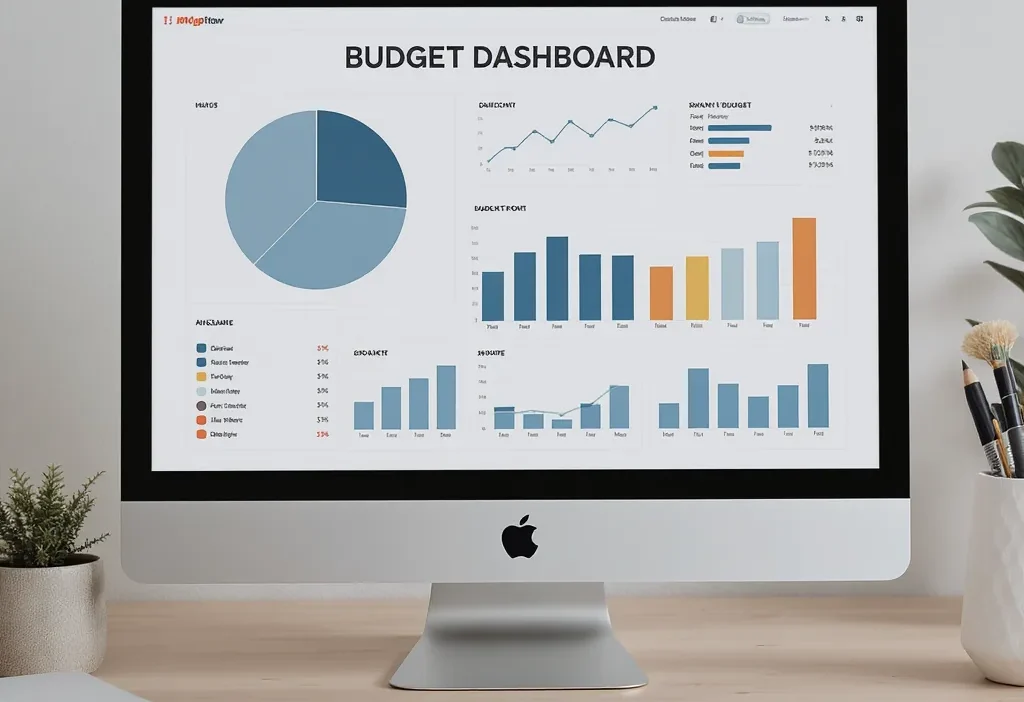
Does your financial life feel like a chaotic collection of apps, paper statements, and mental notes? You’re not alone. Most people’s money management is scattered across a dozen different places, making it impossible to see the whole picture at a glance. The solution isn’t a more complex piece of software or a stricter set of rules—it’s a simple, central home budget dashboard. Think of it as your personal money command center: a single, clear summary page that cuts through the noise and gives you immediate clarity and control over your cash flow. This isn’t about tracking every penny; it’s about building a practical overview that turns your scattered financial data into actionable insight you can use every week.
A home budget dashboard is a single-page summary of your essential financial numbers—income, spending, savings, and upcoming bills—designed for a quick weekly review. Its purpose is to give you immediate clarity and control, turning scattered data into actionable insight. It’s your financial cockpit, built for a 5-minute check-in to inform your spending decisions, not just to log where your money went.
The 4 Essential Components of Your Dashboard
Think of your home budget dashboard as a cockpit for your finances. You don’t need every single gauge, just the critical ones that tell you if you’re flying level. These four components form the core of any effective household budget summary page.

Photo by Nataliya Vaitkevich on Pexels
1. The Income & Fixed Costs Anchor
This is your financial foundation. At the top, list all your reliable monthly income. Directly below, list every fixed, non-negotiable expense: rent/mortgage, utilities, insurance, minimum debt payments, and subscriptions. The simple math here (Income – Fixed Costs) shows you exactly how much “breathing room” money you have left for everything else. This number is your starting point for every other decision.
2. The Flexible Spending Tracker
This is where you track the money that changes month-to-month. Instead of 30 categories, start with 3-5 broad ones like Groceries, Dining & Entertainment, Fuel & Transport, and Personal Spending. Assign a target amount to each based on your “breathing room” from step one. The goal isn’t to hit zero, but to see where your money actually goes versus where you planned.
3. The Savings & Debt Progress Bar
Your dashboard shouldn’t just look backward. Dedicate a section to what you’re building or paying down. This could be as simple as listing “Emergency Fund: $500/$1,000” or “Credit Card: $1,200/$2,000 paid off.” Seeing this progress visually is a powerful motivator and keeps your long-term goals in weekly view.
4. The Upcoming Bills & Goals Calendar
A small, forward-looking section prevents surprises. Note any non-monthly bills due in the next 30 days (like car registration) and any short-term financial goals (e.g., “Save $200 for birthday gifts by the 15th”). This turns your dashboard from a tracker into a planning tool.
Choosing Your Dashboard’s Home: Digital vs. Analog
The best budget dashboard layout is the one you’ll actually look at. Your choice boils down to two paths: digital or analog. Neither is inherently better; it’s about what fits your habits.
Digital tools like Google Sheets or a simple note-taking app are great for automation, easy updates, and access from anywhere. You can use formulas to do the math for you and duplicate templates month after month. Choose digital if you’re comfortable on a device, want clean calculations, or share finances with a partner remotely.
Analog systems—a dedicated notebook, a whiteboard on the fridge, or a poster—offer tactile satisfaction and constant visibility. There’s no app to close; it’s always in your face. Choose analog if you need a physical ritual to engage, want to limit screen time, or find writing things down helps them stick.
My advice? If you’re starting out, try a simple spreadsheet. It’s forgiving, free, and offers a clear structure. You can always migrate to a fancy app or a notebook later, but a basic template gives you the framework to understand these budget dashboard basics.
Your 10-Minute Weekly Dashboard Review Routine
A dashboard is useless if it collects dust. The magic happens in a short, consistent weekly review. Imagine it’s Sunday evening with a cup of tea. Here’s your actionable routine.
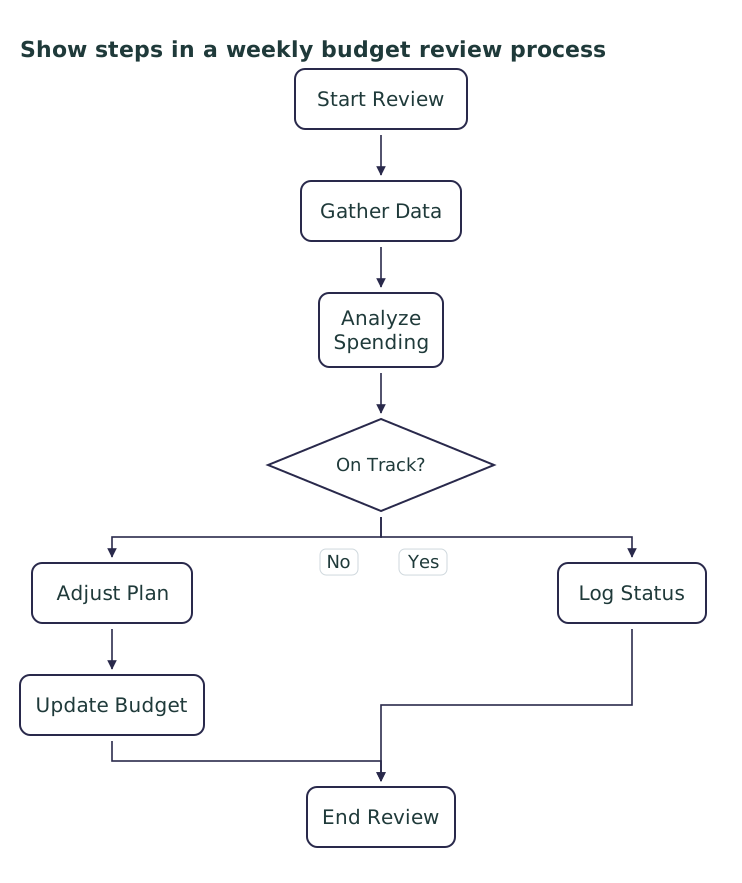
Step 1: Update the Numbers (3 Minutes)
Gather receipts or quickly check your bank app. Update your Flexible Spending tracker with what you actually spent in each category this past week. Don’t judge, just record.
Step 2: Scan for Red Flags & Progress (3 Minutes)
Look at your updated household budget summary page. Is your “Groceries” category already 75% spent halfway through the month? That’s a red flag. Did you just hit a savings milestone? That’s progress. This scan is about awareness, not guilt.
Step 3: Plan for the Upcoming Week (4 Minutes)
Based on your scan, make one small adjustment. If dining out is high, plan two home-cooked meals. If you’re under budget somewhere, decide where that surplus goes (e.g., extra debt payment). Check your “Upcoming” section so nothing sneaks up on you.
This entire cycle turns your static personal finance dashboard into a dynamic tool for course correction.
Keeping It Simple: Avoiding Dashboard Burnout
The number one reason people abandon their financial systems is overcomplication. Here’s how to keep your money command center setup sustainable.
Do: Start with only 3-4 flexible spending categories. Use rounded numbers (e.g., $200 for groceries, not $187.43). Schedule your weekly review and treat it like a non-negotiable appointment. Celebrate when you simply check the dashboard—that’s the win.
Don’t: Try to track every single penny from day one. Redesign your budget dashboard layout every week searching for perfection. Let a missed week or a blown category make you quit entirely. Ignore the dashboard for a month and expect to catch up in one painful session.
Your dashboard is a tool for clarity, not a source of stress. If it feels heavy, simplify it. The goal is to build a lasting habit of awareness, not to create a second job.
Your First Step to Financial Clarity
The true power of a home budget dashboard isn’t in the perfect spreadsheet or the color-coded pens. It’s in the weekly habit of looking, assessing, and gently steering. That regular check-in transforms anxiety into awareness and reactive spending into proactive choice.
You don’t need to build the entire dashboard today. Your decisive next step is simple: pick one of the four essential components—maybe the “Income & Fixed Costs Anchor”—and sketch it out on a piece of paper or in a blank document. Write down just those numbers. That single action moves you from feeling overwhelmed to being in command. Start there, and the rest will follow naturally.