
It’s the 30th of the month, and you’re staring at your budget spreadsheet. The numbers from the past four weeks are all there, a mix of wins and a few “oops” moments. As you look ahead to the new month, you feel a familiar tension: part of you craves the motivational boost of wiping the slate completely clean, while another part values the steady momentum of simply adjusting what you already have. This recurring choice—your end-of-month budget reset—is more than just a routine task. It’s a pivotal decision that shapes your financial momentum and can either fuel your motivation or solidify your discipline. Understanding the two core approaches, the Fresh Start and the Set-In workflow, is the key to making this monthly closeout work for you, not against you.
Here’s how to choose between a Fresh Start and a Set-In workflow for your end-of-month budget reset. The Fresh Start method involves reviewing the past month, zeroing out all categories, and building a new budget from scratch, ideal for those needing flexibility or a motivational boost. The Set-In method focuses on rolling over remaining funds and adjusting only what’s necessary, perfect for those with stable habits who value efficiency and consistency.
The Two Paths: Defining Fresh Start vs. Set-In
Your end of month budget reset isn’t just a task—it’s a strategic choice. The method you pick can either energize your finances or quietly drain your motivation. Fundamentally, you have two core workflows to choose from: the Fresh Start and the Set-In method.
The Fresh Start method is exactly what it sounds like. You review last month’s spending, then zero out every category. You start the new month with a blank slate, assigning every dollar of your income to new category amounts based on your current priorities and upcoming needs. It’s a deliberate, category-by-category rebuild.
The Set-In method (sometimes called a roll-forward or incremental adjustment) is about continuity. You review last month, but instead of wiping the slate clean, you analyze what’s left. You roll over any leftover money in categories to the next month, then make targeted adjustments only where needed—like increasing the grocery budget for a holiday meal or reducing dining out after an expensive month.
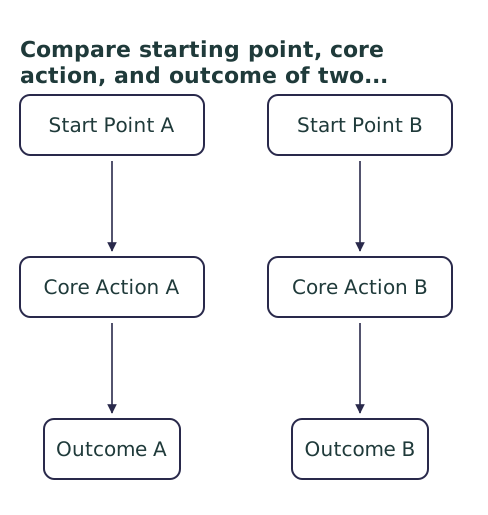
To see the difference at a glance, here’s a breakdown of these two approaches to your monthly budget closeout routine:
| Dimension | Fresh Start Workflow | Set-In Workflow |
|---|---|---|
| Core Philosophy | Intentional rebuild; a clean break from the past. | Continuous improvement; building on existing momentum. |
| Best For | New budgeters, variable income, needing a motivational boost, or after a financially tough month. | Stable income/expenses, established spending habits, and those who value efficiency. |
| Primary Action | Zero out all categories, then build a new budget from scratch. | Review category balances, roll over leftovers, and adjust only what’s necessary. |
| Time Commitment | Higher (15-30+ minutes). Requires more decision-making. | Lower (5-15 minutes). Leverages your existing framework. |
| Emotional Feel | Empowering, motivating, like a “new year’s resolution” for your money. | Calm, efficient, and confidence-building through consistency. |
| Risk of Overcomplication | Higher. Can lead to tinkering or creating too many new categories. | Lower. Encourages sticking with a system that works. |
Who Thrives with a Fresh Start Reset?
If the idea of a blank page excites you more than it intimidates you, the Fresh Start method might be your perfect fit. This approach to your monthly financial reset is powerful in specific situations where a clean break provides clarity and renewed focus.
The Scenarios Where It Shines
Think about choosing the Fresh Start path if any of these sound familiar:
- You’re New to Budgeting: When you’re first building the habit, starting from zero each month helps you learn your true spending patterns without being tied to last month’s guesses.
- Your Last Month Was a Mess: Maybe you overspent or had unexpected bills. A Fresh Start lets you acknowledge what happened, close the book on it, and literally start over without carrying forward guilt or a negative balance.
- Your Income or Expenses Are Highly Variable: Freelancers, gig workers, or those with seasonal costs benefit from rebuilding a budget that matches their actual cash flow for the upcoming 30 days.
- You Feel Stuck or Bored: If your budget feels like a rigid chore, the act of reallocating every dollar can reconnect you with your financial goals and spark new motivation.
A Quick Example: Sam had a rough March with car repairs blowing their budget. On April 1st, they use the Fresh Start method. They look at their April paycheck, then assign funds first to the renewed car repair fund, then to groceries, rent, and a smaller “fun” category to recover. This act of conscious rebuilding makes them feel back in control.
When the Set-In Workflow is Your Secret Weapon
For many, the ideal monthly budget closeout routine isn’t a dramatic reboot—it’s a quiet, efficient tune-up. The Set-In workflow is the champion of consistency, and it’s often the unsung hero for maintaining long-term financial progress.
The Power of the Rollover
This method excels when your financial life is relatively predictable, or when the very thought of building a budget from scratch makes you want to avoid the task altogether. Its superpower is reducing decision fatigue. You’re not asking, “What should my grocery budget be?” every single month. Instead, you’re asking, “Did last month’s grocery amount work? Do I need to adjust it for anything specific next month?”
You are the perfect candidate for the Set-In method if:
- Your Income and Core Expenses Are Stable: Your rent, car payment, and utility averages don’t change much. Your rolling budget adjustment is minor.
- You Have Established Spending Categories That Work: You’ve already done the hard work of figuring out your needs. Now you just need to maintain the system.
- You Want to Build a “Sinking Fund” Mentality: Rolling over leftover “Gifts” money from a quiet June means you have a bigger fund ready for December holidays, without any extra effort.
- Your Goal is Habit, Not Overhaul: You want your budget reset process to be a quick, 10-minute administrative task, not a deep monthly planning session.
A Quick Example: Alex has been budgeting for two years. At month-end, they check their app. They see they have $45 left in “Dining Out” and $80 extra in “Groceries.” They roll both amounts over to the same categories for the new month, then add an extra $50 to the “Vacation” fund because they got a small bonus. Done in eight minutes.
Your Decision Guide: Choosing Your Path
So, which method should you use for your upcoming reset budget for next month? Don’t overthink it as a permanent, lifelong choice. Instead, ask yourself a few simple questions about your current situation. Your answers will point you to the right workflow for this cycle.

Ask Yourself These Questions
- How did last month go? Was it a typical month, or was it chaotic with lots of overspending or surprises? (Chaos = lean Fresh Start. Typical = lean Set-In.)
- How predictable is the upcoming month? Are your income and major expenses known and steady, or is there significant uncertainty? (Uncertainty = Fresh Start. Predictable = Set-In.)
- What’s your energy level for money tasks right now? Do you feel like engaging deeply with your finances, or do you need a quick, low-effort win? (Low energy = Set-In. High energy/motivation = Fresh Start.)
- Are you working toward a specific, short-term goal? Like saving for a deposit in 3 months? (Fresh Start can help you aggressively reallocate. Set-In is better for steady, long-term progress.)
Making the Call
Your answers create a clear picture. If you have more reasons on the “chaos, uncertainty, need a boost” side, commit to the Fresh Start method for this reset. If you’re in the “stable, efficient, maintain momentum” camp, the Set-In workflow is your tool. The key is to pick one and execute it without second-guessing. You can always switch methods next month based on a new set of answers.
The Best Reset is the One You’ll Actually Do
In the end, the “best” end of month budget reset method isn’t the one with the most steps or the cleanest theory. It’s the one that fits your actual life this month. The Fresh Start method offers transformative energy when you need a change, while the Set-In method provides the quiet, sustaining power of consistency.
The most successful budgeters aren’t loyal to just one path. They understand this is a trade-off. They might use the Set-In workflow for nine months of steady progress, then switch to a Fresh Start when they get a raise, change jobs, or need to re-prioritize after a major life event. Your financial seasons change, and your process can too.
Your next step is simple: based on the questions you just answered, choose your path for the coming month. Then, open your budget tool and execute that specific workflow. That single act of committed follow-through is infinitely more powerful than searching for a perfect, one-size-fits-all system.
Q: Can I mix the Fresh Start and Set-In methods?
A: Absolutely, but it’s usually best to pick a primary method for clarity. A common hybrid is using a Set-In approach for stable fixed categories (like rent, savings) while doing a Fresh Start rebuild for more flexible spending areas (like dining, entertainment) each month.
Q: What’s the biggest mistake people make during a month-end reset?
A: The biggest mistake is skipping the review step. Whether you choose Fresh Start or Set-In, you must first look at what actually happened last month. Without that honest review, you’re just guessing for the future, which often leads to the same budgeting mistakes.
Q: How long should a budget reset take?
A: It varies by method. A Set-In (rollover) reset can often be done in 5-15 minutes once you’re familiar with your budget. A full Fresh Start rebuild might take 20-40 minutes, especially if you’re adjusting many categories or planning for new expenses.
Q: Do I need special software for a Set-In (rollover) workflow?
A: Not necessarily, but it helps. Many budgeting apps (like YNAB, EveryDollar) have built-in rollover features that automate this. You can mimic it in a spreadsheet by simply carrying over the ending balance from last month’s column to become the starting balance in the new month’s column.