Does your wallet or kitchen drawer overflow with crumpled paper receipts, while your email inbox is a graveyard of digital ones you can never find? You’re not alone in this modern financial dilemma. The choice between paper receipts vs digital receipts isn’t about finding a single “best” format; it’s about making smart, situation-specific decisions to protect your purchases and your sanity. This guide cuts through the clutter with practical, no-nonsense advice on when the physical copy is non-negotiable, when a digital record is perfectly adequate, and how to implement a simple hybrid system that finally ends receipt anxiety.
What is the best way to decide between paper and digital receipts? The best method is to evaluate each purchase based on three key factors: the item’s warranty or return window, its value for tax or expense tracking, and the reliability of the retailer’s digital system. For big-ticket items, warranties, and tax deductions, keep the paper original. For everyday purchases, a clear digital photo or email receipt is usually sufficient if stored in an organized system.
The Core Trade-Offs: Durability vs. Convenience
To make smart choices about paper vs digital receipts, you first need to understand their inherent, non-negotiable strengths and weaknesses. Neither format is universally “better”; each excels in different areas, forcing a classic trade-off between permanence and convenience.
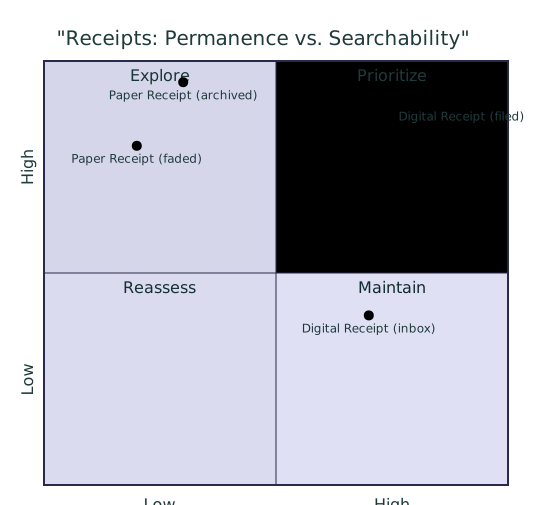
Paper receipts offer tangible, immediate proof. They don’t require a battery, internet connection, or specific app to view. This gives them a high degree of legal and practical weight—a faded but original paper slip is often the gold standard for returns, warranties, and tax audits. However, they are physically vulnerable to fading, loss, and damage, and organizing them requires manual receipt storage methods like filing cabinets or shoeboxes, making specific transactions hard to find later.
Digital receipts, typically received via email or stored in an app, solve the search and space problem. You can instantly find a purchase by date, store, or amount. They create no physical clutter. Yet, their existence is entirely dependent on technology: an email can be deleted, a retailer’s system can change, and a file format can become obsolete. Their acceptance can also be inconsistent, as some institutions may still request a “hard copy.”
Your Decision Matrix: When Paper is Non-Negotiable
For certain purchases, the physical paper original isn’t just nice to have—it’s essential. In these scenarios, the durability and universal acceptance of paper outweigh the convenience of digital. Make it a rule to file away the paper copy for these items.
Major Purchases & Long Warranties
Any big-ticket item like appliances, electronics, furniture, or jewelry comes with a warranty that may last years. Manufacturers and retailers often require the original receipt to honor that warranty. A digital copy might suffice, but the paper original removes all doubt and is never subject to a company changing its digital record-keeping system.
Work Expenses & Tax-Deductible Items
If you plan to claim an item on your taxes or need to get reimbursed by an employer, the paper trail is crucial. While the IRS accepts digital records, they must be as accurate and legible as paper ones. Having the physical receipt provides a straightforward, uncontestable record that simplifies the process if your documentation is ever questioned.
Proof of Ownership & Authenticity
For high-value items, collectibles, or anything you might need to insure, the original sales receipt is the best proof of purchase price and authenticity. It’s also critical for returns without a box or to stores with strict return policies. In these cases, a pixelated photo on your phone may not carry the same authoritative weight.
When Going Digital is the Smarter Choice
For the vast majority of everyday spending, digital receipts are not just acceptable—they are the superior choice for reducing clutter and staying organized. The key is to move from a “digital shoebox” (a flooded email inbox) to a deliberate system.
Everyday Consumables & Small Purchases
Groceries, coffee, lunch, drugstore items, and small personal purchases rarely need long-term proof. The return window is short, and there’s no warranty to track. An email receipt or a quick photo is perfectly adequate for budgeting purposes or if you need to return a defective item within a week or two.
Subscriptions & Automated Purchases
Your monthly streaming service, software subscription, or utility bill is inherently digital. The email confirmation and ongoing bank statements are the primary records. Keeping a separate paper copy for these serves no practical purpose.
Retailers with Robust Digital Systems
Major chains (like Target, Amazon, or Best Buy) link purchases to your online account. Your purchase history is stored securely on their servers and is often easier for their customer service to access than a photo of your paper receipt. For these, opting for an email receipt and trusting the company’s system is a valid receipt storage method.
| Purchase Type | Best Format to Keep | Key Reason / Note |
|---|---|---|
| Warranty/Returns (Major Items) | Paper | Universal acceptance; required by many manufacturers. |
| Tax/Work Expenses | Paper (or meticulously organized digital) | Simplifies audits and reimbursement; provides unambiguous proof. |
| Everyday Purchases | Digital | Short useful life; digital is sufficient for budgeting and short-term returns. |
| Environmental Impact | Digital | Reduces paper waste and chemical receipt tape (often coated with BPA/BPS). |
A Practical Protocol for Hybrid Management
The most effective system isn’t all paper or all digital—it’s a hybrid approach that uses each format for its strengths. This simple, actionable protocol helps you organize digital receipts and manage paper without overwhelm.
Step 1: Immediate Triage
At the point of sale, decide: “Is this a ‘Paper Essential’ purchase?” (Refer to the matrix above). If yes, take the paper receipt and politely decline an email copy to avoid duplication. If no, opt for digital or take the paper with the intent to digitize.
Step 2: Short-Term Paper Holding
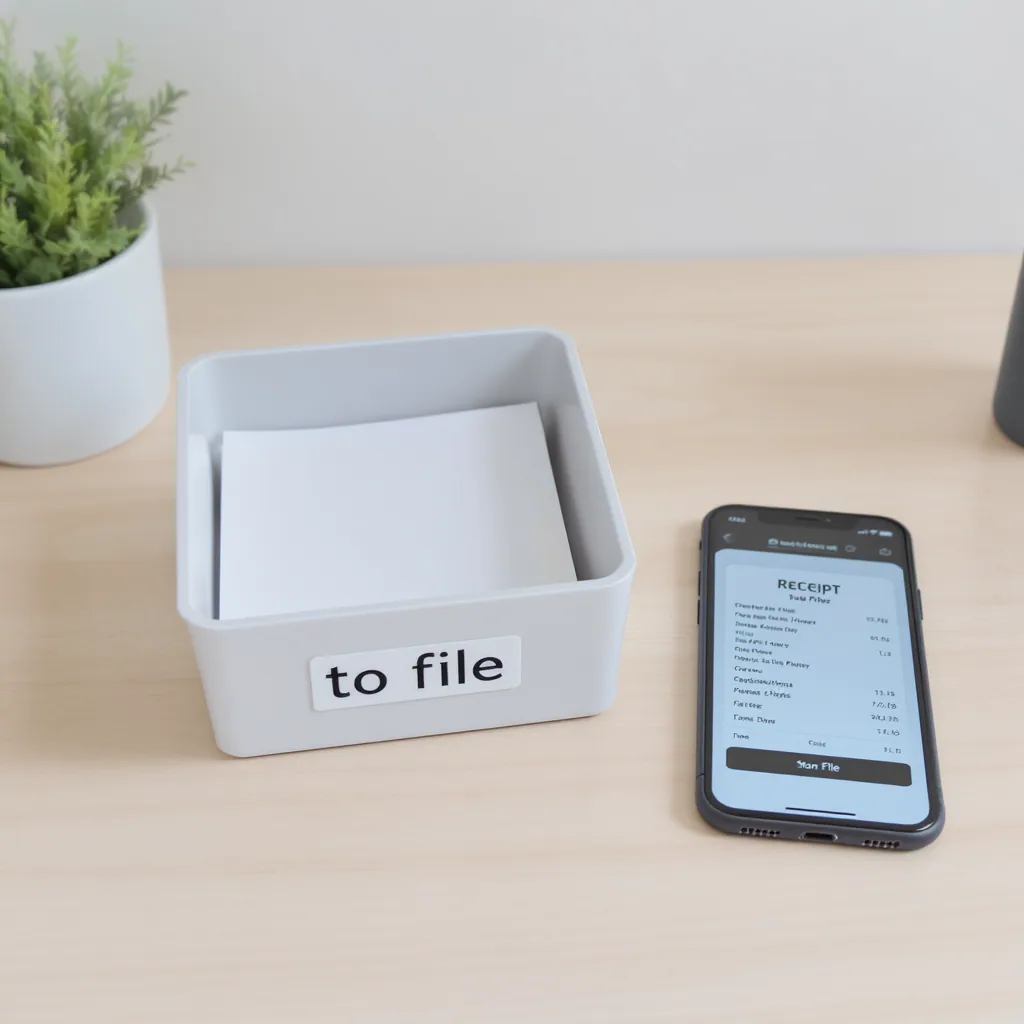
Have one designated spot—a small tray, folder, or clipped envelope—for all paper receipts that enter your home. This is a temporary holding zone, not permanent storage. Everything goes here first.
Step 3: Digital Capture & Organization
Once a week, process the holding zone. For essential paper receipts you want to back up, take a clear photo. Use a consistent naming convention (e.g., “2024-05WashingMachineHomeDepot.jpg”). For digital receipts, move them from your inbox to a dedicated folder in your email or a cloud drive like Google Drive, using similar folder labels by month or category.
Step 4: Secure Long-Term Storage & Purge
File the critical paper receipts (tax, warranty, major purchases) in a simple accordion file or binder by category. For all other paper receipts, once you’ve confirmed the purchase on your statement and any return window has passed, shred them. Your organized digital archive becomes your searchable long-term record for everything else.
Take Control of Your Receipts
The debate between paper and digital receipts isn’t about picking a winner; it’s about using the right tool for the job. By applying the simple decision matrix—paper for proof, digital for convenience—you can end the anxiety of lost warranties and the clutter of paper piles. The hybrid protocol turns a chaotic chore into a manageable, minutes-a-week habit.
Your next step is decisive: start with your very next purchase. Ask the “Paper Essential?” question at the register, and begin directing receipts to their proper place. Within a month, you’ll have a clear, reliable system that saves you time, space, and frustration when you need that proof of purchase most.