That kitchen drawer—the one overflowing with crumpled receipts, unopened bank statements, and mysterious warranty slips—isn’t just a clutter problem. It’s a source of low-grade financial anxiety, a time-suck when you need a specific document, and a genuine headache come tax season. The goal isn’t a single, exhausting weekend purge that leaves you right back where you started in a month. Instead, effective receipt and budget document storage is about building a simple, maintainable system. This guide breaks it down into two manageable parts: first, assembling the right physical and digital toolkit to hold everything, and second, establishing a minimal weekly routine to process paperwork as it arrives. It’s a practical shift from chaotic piles to a calm, controlled archive you can actually trust.
The best way to manage receipt and budget document storage is to first assemble your essential tools—both physical organizers and digital backups—and then establish a quick, consistent routine to process paperwork as it comes in, turning chaos into a maintained system. You’ll need a basic filing system for physical documents you must keep, a scanner or app for digital copies, and a clear set of rules for what to shred. By dedicating less than 30 minutes a week to sorting and filing, you prevent backlog and ensure you can find any financial record in seconds.
Your Storage Toolkit: The Physical Foundation
Before you can build a habit, you need the right gear. Think of this as assembling your physical foundation—the tangible items that will hold your system together. The goal isn’t to buy the fanciest equipment, but to choose tools that fit your space and make the act of filing almost effortless.
Core Filing Systems
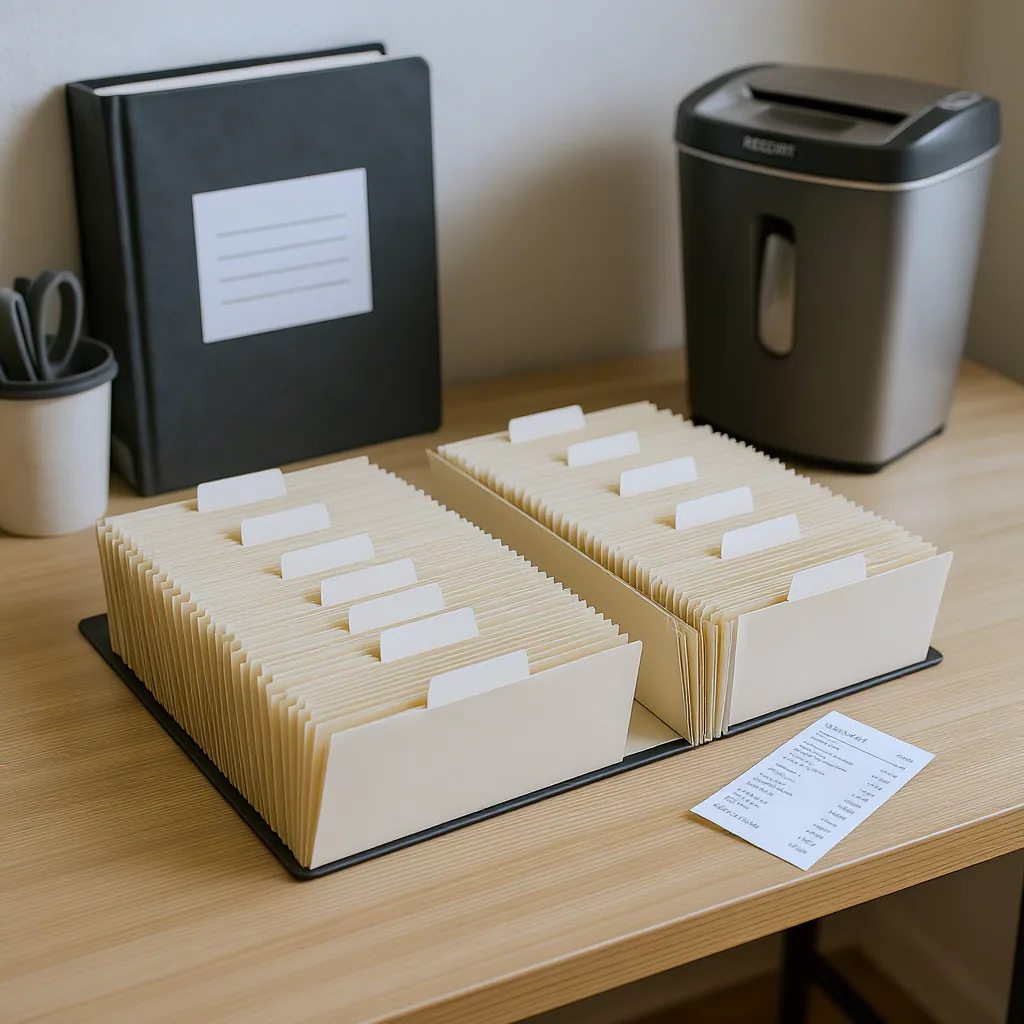
Your main choice is how you’ll contain the papers. For most people managing personal finance paperwork, a tiered approach works best:
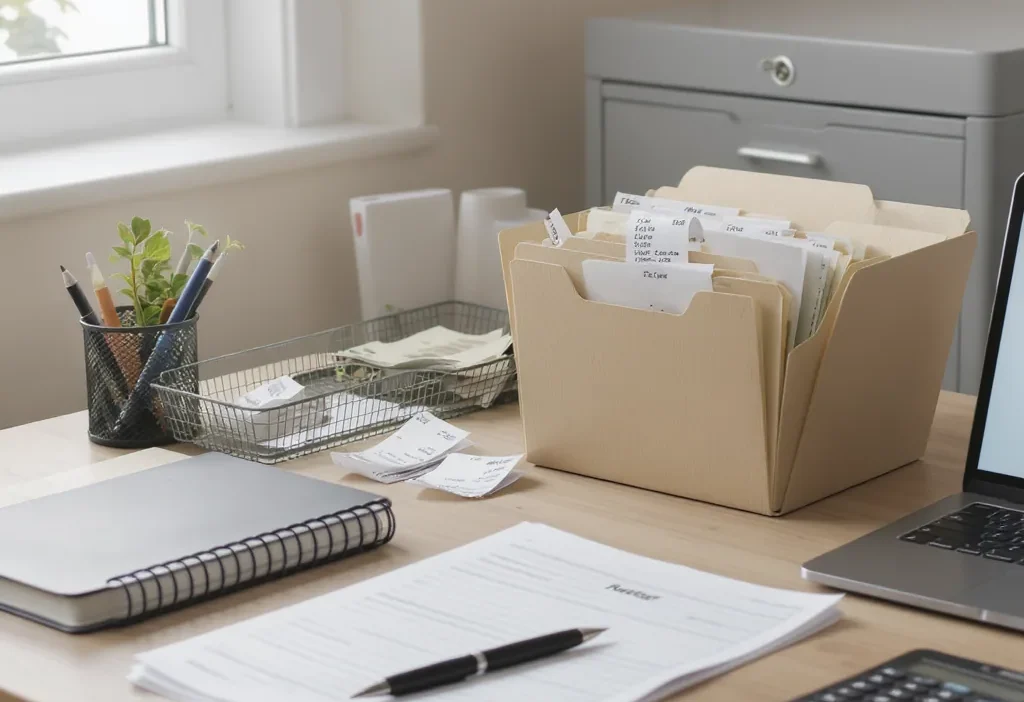
- Accordion Files or Expanding Wallets: Ideal for active, current-year documents. Use one pocket for each month or category (e.g., “January Receipts,” “Medical Bills”). They’re portable, affordable, and perfect for the initial stage of organize receipts at home.
- Binders with Sheet Protectors: Excellent for reference documents you need to access occasionally but want to keep pristine, like car titles, property records, or appliance warranties. This method turns a binder into a quick-reference manual for your life.
- Filing Cabinet or Sturdy File Box: This is your archive. Once a year is complete, you’ll transfer records from your accordion file into hanging folders in a dedicated drawer or box. Label folders clearly by year and category (e.g., “2024 – Tax Documents,” “2024 – Bank Statements”).
Essential Supporting Supplies
A few small items prevent big headaches:
- A Label Maker or Bold Marker: Ambiguity is the enemy of any receipt organization system. Clear labels on every folder and file eliminate guesswork.
- A Cross-Cut Shredder: Security is part of organization. You need a reliable way to destroy documents containing sensitive information before recycling them.
- A “To-File” Tray or Basket: Designate one spot where all incoming paper lands before your weekly sorting session. This single step stops clutter from spreading across counters and tables.
A quick note on retention: while rules vary, a good baseline is to keep tax records and supporting documents for at least three to seven years, as per general IRS guidance. Your physical toolkit is where this timeline becomes manageable.
Your Digital Toolkit: Creating a Fail-Safe Backup
Your physical system is primary, but a digital backup is your safety net. It protects against loss from fire, flood, or simple misplacement, and makes retrieving a specific document from years ago a matter of seconds, not a dusty hour in the attic. This isn’t about going fully paperless—unless you want to—but about creating a sensible hybrid approach.
Digitization Tools
You have two great options for turning paper into pixels:
- Smartphone Scanner Apps: Apps like Adobe Scan or Microsoft Lens use your phone’s camera to capture documents, automatically detect edges, and enhance readability. They’re incredibly convenient for the odd receipt or bill you want to capture on the go and are more than sufficient for most home office document management needs.
- Dedicated Document Scanner: If you process high volumes of paperwork, a scanner with an automatic document feeder (ADF) is a time-saving powerhouse. It can quickly digitize multi-page statements or a stack of receipts with a single button press.
Digital Storage & Organization
Where you store files is as important as how you scan them. Use a reputable cloud service like Google Drive, Dropbox, or iCloud. Their automatic sync and backup features are crucial. Within your cloud drive, create a logical folder structure mirroring your physical files. For example: Finances / 2024 / Receipts / January.
The magic is in the file name. Ditch “IMG0234.jpg.” Use a consistent naming convention like YYYY-MM-DDVendorPurpose.pdf (e.g., “2024-03-15HomeDepotGardenSupplies.pdf”). This allows you to search by date, vendor, or type instantly, transforming your digital dump into a searchable database. For more on securing your digital files, reviewing general data security best practices is wise.
The Sorting Protocol: What to Keep, Shred, or Scan
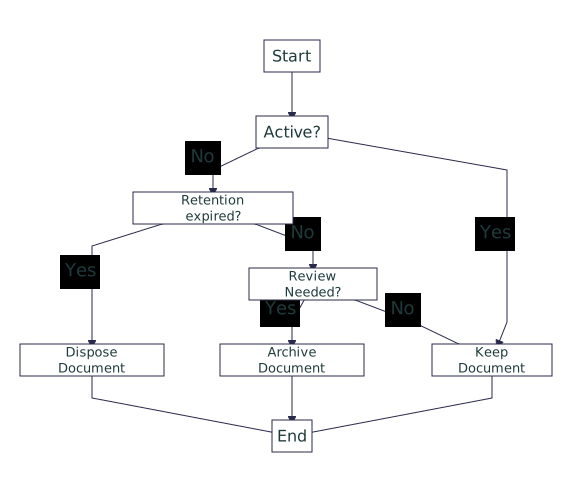
With your toolkit assembled, the next skill is decision-making. Facing a pile of paper, most people freeze because they don’t have clear rules. This protocol gives you those rules. For each document, ask a series of simple questions to determine its fate: Keep it physically, Scan and shred the original, or Shred it immediately.
Category 1: Keep the Physical Original
These are your vital records. They are often difficult or impossible to replace and may be required in their original form.
- Tax-Deductible Receipts: Keep all receipts for charitable donations, business expenses, medical expenses over 7.5% of your adjusted gross income (if you plan to itemize), and other deductible items. File them by tax year.
- Legal Documents: Wills, trusts, powers of attorney, birth certificates, marriage licenses, social security cards, passports, and adoption papers.
- Property Records: Deeds, titles (car, boat), mortgage documents, and major home improvement receipts (for capital gains calculations).
Category 2: Scan, Then Shred the Original
This category is for important records you need to reference, but a digital copy is perfectly acceptable. Scanning them frees up physical space.
- Paid Utility Bills & Bank/Credit Card Statements: Once you’ve verified payment and there are no disputes, scan the statement and shred the paper. Keep digital copies for at least one year, or longer if needed for warranty claims or expense tracking.
- Warranties & Manuals: Scan the receipt and the warranty card. File them digitally under the product name (e.g., “RefrigeratorWarranty.pdf”). Shred the physical copies unless you prefer a binder.
- Medical Bills & Explanation of Benefits (EOBs): After ensuring insurance has processed them correctly, scan and file digitally. This is crucial for budget paperwork organization and tracking healthcare costs.
Category 3: Shred Immediately
This is the “no” pile. Be ruthless here to prevent clutter.
- Junk mail, catalogs, and expired coupons.
- Duplicate copies of documents.
- Old ATM and credit card receipts (once reconciled with your statement).
- Any document with personal information (account numbers, your address) that falls outside the “keep” or “scan” categories.
The Weekly Routine: Making Storage Automatic
The best toolkit in the world collects dust without a routine. The secret is to make the process so quick and simple that it’s harder not to do it. This isn’t a monthly marathon; it’s a sub-30-minute weekly habit. Here’s how it flows:
Every Sunday after coffee, you grab the contents of your “To-File” tray. You sit down with your accordion file, your scanner (or phone), and your shredder. You process each piece of paper using the sorting protocol you just learned: vital docs go in the permanent file, bills get scanned and shredded, junk gets shredded. You label and file the few physical keepers. The digital files you created get dragged into their correctly named folders in the cloud. That’s it. The tray is empty, your system is updated, and you’ve prevented a backlog from ever forming.
This weekly rhythm turns a daunting chore into a maintained system. It’s the difference between being perpetually behind and being permanently in control of your budget paperwork organization.
Your Weekly Checklist
- Collect: Gather all loose papers from your designated inbox, wallet, and bags.
- Sort & Decide: Use the protocol (Keep/Scan/Shred) for each document.
- Process: File physical keepers, scan designated documents, and shred the rest.
- Name & Organize: Immediately rename scanned files and place them in the correct digital folder.
- Reset: Return your tools to their place, ready for next week.
Common Storage Mistakes and How to Avoid Them
Even with the best intentions, it’s easy to fall into traps that undermine your system. Recognizing these common mistakes upfront lets you build a more resilient process from the start.
Mistake 1: The “Keep Everything Forever” Hoard
The Problem: Holding onto every scrap of paper “just in case” creates an overwhelming, unusable archive. You can’t find what you actually need.
The Fix: Adopt and trust your sorting protocol. Refer to official retention guidelines for tax documents. For most other records, if you haven’t needed it in a year or two (and it’s not a vital legal doc), you can likely shred it after scanning.
Mistake 2: No Digital Backup
The Problem: Relying solely on physical copies puts your important financial records at risk from a single disaster like a flood or fire.
The Fix: Implement the digital toolkit. Make scanning a non-negotiable part of your weekly routine for all important, but replaceable, documents. Your cloud storage is your insurance policy.
Mistake 3: An Overly Complex Filing System
The Problem: Creating 50 sub-categories for receipts or color-coded labels for every possible scenario. It’s impressive for a day, but impossible to maintain, leading to abandonment.
The Fix: Embrace simplicity. Start with broad, logical categories (Taxes, Medical, Utilities, Warranties). You can always create a sub-folder later if one category genuinely becomes too large. The goal is a system you’ll actually use.
Mistake 4: Letting the Routine Slide “Just This Once”
The Problem: Skipping your weekly session because you’re busy. Once becomes twice, and soon you’re back to a mountain of unsorted paper, dreading the time it will now take.
The Fix: Protect the 30 minutes. Schedule it like any other important appointment. Remember, processing a week’s worth of paper is fast; processing a month’s worth is a chore. Consistency is the ultimate tool for organize receipts at home.
Your Next Step: Start Small, Start Now
The path from paper chaos to calm control isn’t paved by a single, exhausting weekend purge. It’s built by taking one clear, manageable action. This week, don’t try to overhaul everything. Instead, choose one element from the toolkit you’re missing. Maybe it’s buying an accordion file and labeling the tabs. Perhaps it’s downloading a scanner app and creating your main “Finances” folder in the cloud. Or, it could simply be setting a calendar reminder for your first 20-minute “paperwork date” this Sunday.
The right tools make the system possible, but the simple habit makes it permanent. Your future self—relaxed at tax time, able to find any warranty in seconds, free from drawer-stuffing anxiety—will thank you for starting today.
Effective document management hinges on a two-part philosophy: tools enable the system, and routine sustains it. First, assemble a basic physical and digital toolkit (filing systems, a scanner, cloud storage). Second, implement a clear sorting protocol to decide what to keep physically, scan, or shred, using retention guidelines. Finally, lock it in with a short, consistent weekly processing habit to prevent backlog. This approach transforms receipt and budget document storage from a source of stress into an automatic, reliable part of your financial life.