Do you have a drawer, shoebox, or folder overflowing with crumpled receipts, leaving you dreading tax season or a simple return? The problem isn’t a lack of effort—it’s the paralysis of choice. With so many touted “best” receipt sorting methods, how do you pick the one that actually fits your life? This isn’t about finding a one-size-fits-all solution, but about matching a system to your personal workflow. Whether your primary goal is monthly budgeting, hassle-free returns, or streamlined tax prep, the right organization method can turn that pile of paper from a source of stress into a simple, manageable tool.
The best way to organize receipts depends on your primary goal. If you need to track monthly spending, sort by month. For easy returns or warranty claims, sort by store. For budgeting and tax preparation, sort by category. Choose the method that matches your most frequent use case.
The Three Core Methods: A Quick Overview
Before we dive into which one is right for you, let’s clearly define the three main receipt filing systems. Each has a distinct logic and primary purpose.
Sorting by Month: This is a chronological system. You simply file every receipt from a given month together, regardless of what you bought or where you bought it. Its primary use case is tracking overall monthly spending and cash flow at a glance.
Sorting by Store: This is a vendor-based system. You create a folder or section for each store (e.g., “Home Depot,” “Amazon,” “Local Grocer”). Its primary use case is making returns, warranty claims, or checking store-specific loyalty points incredibly fast.
Sorting by Category: This is a budget- and tax-focused system. You file receipts based on what the purchase was for (e.g., “Office Supplies,” “Utilities,” “Business Meals,” “Medical”). Its primary use case is simplifying budgeting reviews and tax preparation by grouping similar expenses.
While hybrid systems are possible (and we’ll touch on them), understanding these three core receipt organization systems is the first step to choosing your best fit.
Which Method Fits Your Goal? A Decision Guide
The best receipt sorting method isn’t universal; it’s the one that aligns with your most frequent reason for needing a receipt. Ask yourself these questions to find your match.
If your main goal is to monitor your monthly budget… You want to see where your money went each period. Sorting by month is your strongest contender. It lets you review all spending from January in one pile, making it easy to compare against your income and budget limits. This method is perfect for personal finance tracking.
If your main goal is to handle returns or warranty issues quickly… You need to find a specific store receipt without sifting through everything else. A system to organize receipts by store is your winner. When the blender breaks, you go straight to the “Kitchen Appliances” or “Target” folder, not a massive “2023” stack.
If your main goal is to prepare for taxes or analyze spending categories… You need receipts grouped by type of expense, not by time or location. Sorting by category is essential. It transforms a shoebox of paper into organized data for your accountant or budgeting software. This is the go-to receipt management method for freelancers and small business owners.
Side-by-Side Comparison: Strengths and Trade-offs
To make the choice even clearer, here’s a direct comparison of how each method performs across key practical criteria. Seeing the trade-offs side-by-side can help you decide which drawback you’re most willing to live with.

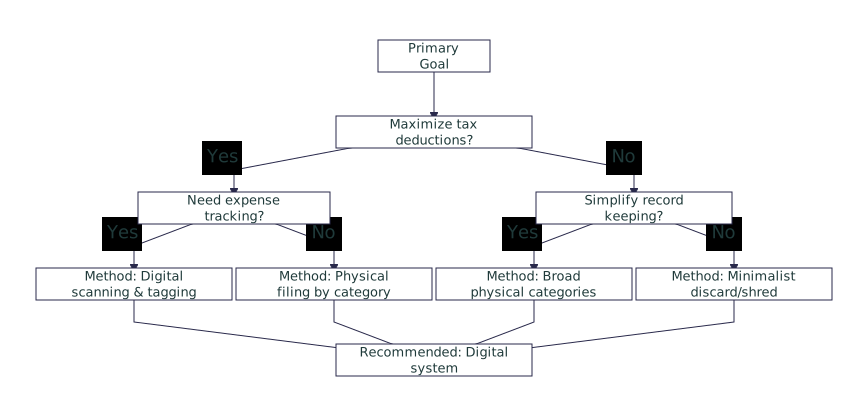
Photo by Blue Bird on Pexels
| Method | Primary Use Case | Setup Speed | Ease of Retrieval | Best For | Biggest Drawback |
|---|---|---|---|---|---|
| By Month | Tracking monthly cash flow & spending totals | Very Fast (just drop it in the monthly folder) | Hard for specific items; easy for monthly review | Personal budgeters, those new to receipt organization | Finding a single receipt from months ago is a needle-in-a-haystack search. |
| By Store | Fast returns, warranty claims, store-specific tracking | Medium (requires maintaining store-specific folders) | Very Easy if you remember the store | Frequent shoppers, homeowners keeping appliance records | Doesn’t help with budgeting or seeing total spending across all stores. |
| By Category | Tax preparation, business expenses, category-based budgeting | Slowest (requires deciding on a category for each receipt) | Moderate (easy if category is clear, tricky for ambiguous purchases) | Freelancers, small business owners, detailed budgeters | Highest upfront mental effort and maintenance required. |
Real-Life Scenarios: Putting the Methods to Work
Let’s see how these methods play out in practice for different people. These scenarios show there’s no single “best way to sort receipts,” only the best method for the situation.
Scenario 1: The Freelance Graphic Designer. Maya needs to track business expenses for tax deductions. For her, a category-based system is non-negotiable. She has folders for “Software Subscriptions,” “Client Meals,” “Home Office,” and “Marketing.” This directly feeds into her quarterly tax estimates and annual filing. She might use a hybrid approach by also having a “Current Month” folder for receipts she hasn’t categorized yet.
Scenario 2: The Family Budgeting Team. Alex and Sam want to rein in household spending. They review finances together on the last Sunday of each month. For them, sorting by month is ideal. They grab the “March” folder, enter totals into their budget spreadsheet for groceries, dining, and entertainment, and immediately see if they stayed on track. It’s simple and serves their specific review ritual perfectly.
Scenario 3: The Small Retail Business Owner. David runs a boutique and needs to keep receipts for inventory, equipment, and utilities. He uses a hybrid system. He files all vendor receipts (inventory purchases) by store for easy reordering and returns. However, for tax purposes, his bookkeeper also wants expenses grouped by category (e.g., “Cost of Goods Sold,” “Utilities”). David might use a digital app to snap a picture and tag it twice, or he maintains two physical copies for critical purchases.
Your Next Step: Choose One and Start
Overthinking the perfect system is the enemy of having any system at all. Based on your primary goal from the guide above, pick one of these receipt sorting methods to implement today. Don’t worry about creating a hybrid masterpiece right away.
Grab a simple accordion folder, a set of binder clips, or even a few envelopes. Label them for this month’s stores, or this quarter’s categories. Then, commit to using that system for all new receipts for the next 30 days. Consistency in your receipt filing system for one month will give you more insight than reading a dozen more articles. You’ll quickly learn if it’s working for you or if you need to adjust. The goal isn’t perfection—it’s progress from a messy drawer to a functional process.