If you’ve ever abandoned a budget spreadsheet after a week, I have a counterintuitive theory for you: it probably failed because it was too good. The relentless pursuit of tracking every coffee, subscription, and parking meter isn’t a sign of financial discipline—it’s a recipe for burnout. The truth is, a sustainable budget isn’t about accounting perfection; it’s about creating a clear map of your money that you’ll actually use. This guide cuts through the noise to show you a truly simple budget spreadsheet layout. We’ll focus on the few categories that actually move the needle and give you explicit permission to skip the rest, so you can build a basic budget tracker that empowers you instead of overwhelming you.
A simple, sustainable budget spreadsheet layout focuses on three core areas: your total income, your fixed essential costs (like rent and debt), and your variable spending (like groceries and fun). Skip creating dozens of micro-categories and tracking every coffee for now—start broad to build the habit. Your only goal in the first month is to log these three sections honestly; clarity and actionable insight, not accounting perfection, are what will make your budget stick.
The 3-Part Foundation of Any Simple Budget
Your beginner budget spreadsheet doesn’t need to be a masterpiece of financial engineering. In fact, its power comes from its simplicity. To build a basic budget tracker layout you’ll actually use, you only need three columns. Think of these as the non-negotiable pillars that hold up your entire financial picture.

Photo by Mikhail Nilov on Pexels
- Income: This is the total money you have to work with each month. For most people, this is simply your net pay (what hits your bank account after taxes). If you have side hustles or irregular income, you’ll estimate an average here.
- Fixed Essentials: These are your non-negotiable, predictable bills. They cost roughly the same amount every month and are necessary for your basic living and obligations. This category creates your financial floor.
- Variable Spending: This is everything else—the spending that changes from month to month and gives you flexibility (and fun). This is where you make conscious choices.
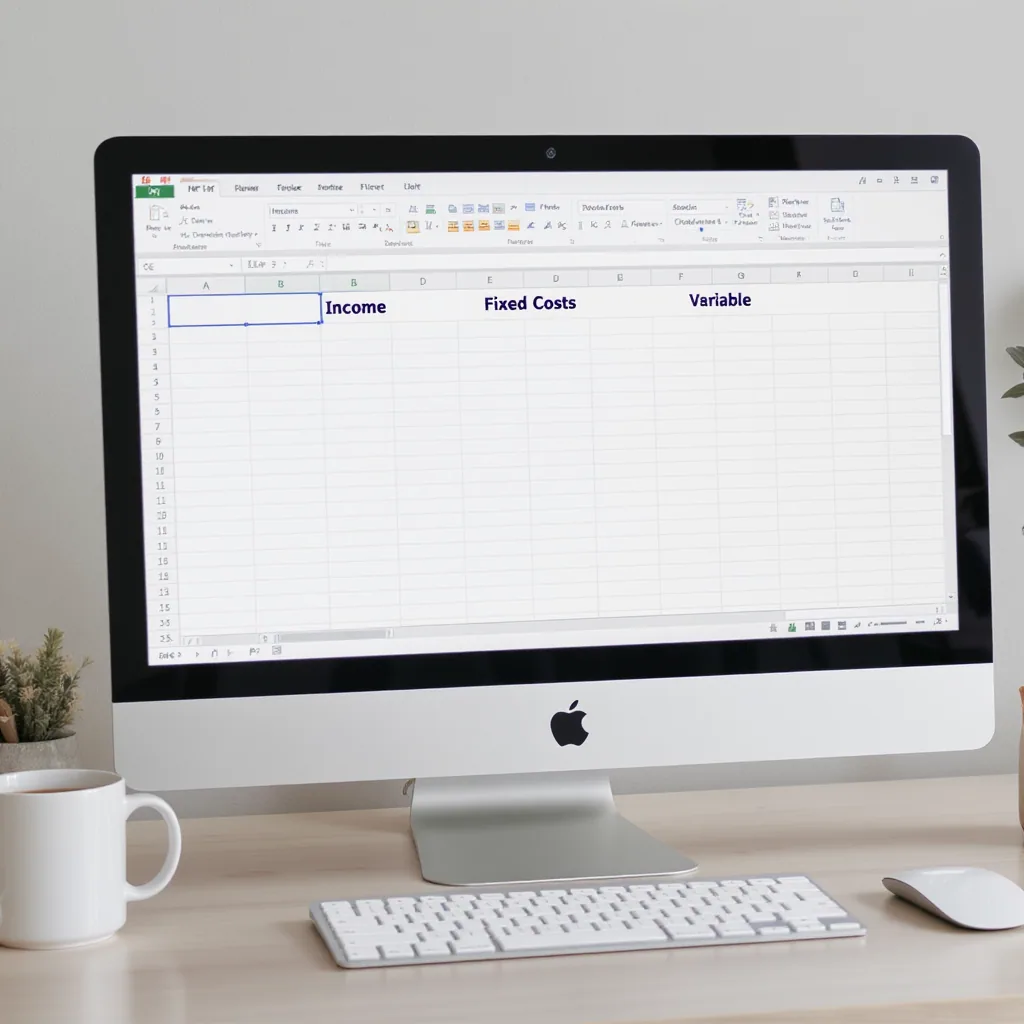
Open a blank spreadsheet in Google Sheets or Excel and label three columns with these exact titles. That’s your entire structural foundation. You can find a generic template to start from in the Google Sheets template gallery, but just these three columns are enough.
What to Track: The Short, Essential List
Now, let’s put meat on the bones. Under each of your three foundational columns, you’ll list specific line items. This is where we define your core budget spreadsheet categories. Keep each list short and broad.
Do Track Under “Income”:
- Primary job net pay
- Side hustle or freelance income (use an average)
- Any other regular cash inflow (e.g., child support)
Do Track Under “Fixed Essentials”:
- Rent or mortgage
- Utilities (electric, water, gas, internet)
- Minimum debt payments (credit cards, student loans, car payment)
- Insurance premiums (car, health, renters)
- Subscriptions you can’t live without (maybe one streaming service)
Do Track Under “Variable Spending”:
- Groceries: All food from the store.
- Gas/Transportation: Fuel, public transit passes.
- Eating Out & Fun: Restaurants, coffee shops, bars, movies. This is a broad category on purpose.
- Household & Personal: Toiletries, cleaning supplies, minor home goods.
- A “Miscellaneous” Buffer: A small amount (e.g., $50-$100) for things that don’t fit neatly. This prevents frustration.
What to Skip (Without Guilt)
This is the permission slip. The fastest way to abandon your personal budget spreadsheet setup is to make it a part-time job. Here’s what you can—and should—skip entirely for your first few months.
Hyper-Specific Subcategories
Do not break “Entertainment” down into “Streaming,” “Movie Tickets,” “Concert Funds.” Do not split “Groceries” from “Household Items.” This level of detail creates decision fatigue every time you buy toothpaste. A broad category like “Groceries & Household” is perfectly functional for awareness.
Tracking Every Tiny Cash Purchase
Imagine you’re trying to log a $3.49 coffee paid for with crumpled dollar bills. This act of stopping your day to record pocket change is the friction that kills budgets. For now, let small cash transactions live within your broad “Eating Out & Fun” category. If you use cash often, just track the total amount you withdraw as “Cash Spending.”
Forecasting Future Months in Detail
Your goal in month one is to track what actually happens, not to perfectly predict month six. Skip creating tabs for future months or trying to project holiday spending. Master the present month first. The habit of tracking is infinitely more valuable than a hypothetical future plan.
Investment Tracking
A budget is for cash flow—the money moving in and out of your checking account. Your 401(k) contribution or investment account swings don’t belong here. They complicate the simple question: “Do I have enough cash for my life this month?” Keep those in a separate net worth tracker, if you track them at all.
Common Budget Spreadsheet Mistakes (And How to Avoid Them)
Even with a simple plan, it’s easy to stumble. Here are the classic pitfalls that derail beginners and how to steer clear.
Mistake 1: Designing It Before Using It
You spend hours picking colors, formatting cells, and creating complex formulas. This is procrastination disguised as productivity. How to avoid it: Use a plain, ugly spreadsheet for your first month. Once you’ve consistently tracked your spending, then you can make it pretty as a reward.
Mistake 2: Forgetting Irregular Expenses
Your budget works in January, then fails in July when your car needs new tires. These annual or semi-annual bills (car registration, holiday gifts, annual subscriptions) are real expenses. How to avoid it: Add a “Sinking Funds” category to your Fixed Essentials. Total your known irregular expenses for the year, divide by 12, and set aside that amount each month into a savings sub-account.
Mistake 3: Not Having a “Miscellaneous” Category
Life is messy. You will buy a birthday card, replace a phone charger, or give a few dollars to a fundraiser. If every dollar must have a specific job, these small surprises will make you feel like you’ve failed. How to avoid it: Include that buffer category in your Variable Spending. It’s not “slush”; it’s a realistic plan for unpredictability.
Mistake 4: Trying to Use Someone Else’s “Perfect” Template
Your friend’s detailed template with 50 categories works for them. That doesn’t mean it will work for you. A template is a starting point, not a prison. How to avoid it: Start with the three-column foundation and adapt any template you find. Delete categories that don’t apply to you. Your budget should reflect your life, not someone else’s.
Your Budget, Your Rules
The real victory isn’t a flawless spreadsheet; it’s the awareness and choice that a simple tool gives you. This minimalist budget spreadsheet approach works because it removes the guilt and complexity that cause most people to quit. You’re not building an accounting report for an auditor—you’re creating a map for your own money.
Perfection can come later, if it ever needs to. For now, the most powerful step you can take is the simplest one: open a blank sheet, create those three columns, and make your first, rough estimate. You can adjust everything tomorrow. The goal is to start, not to be perfect.