
You know the feeling. You set up a sinking fund with the best intentions—a dedicated pot for car repairs, holiday gifts, or that annual insurance bill. You make a plan, you feel organized, and then… life happens. A few weeks go by, and you realize you completely forgot to move the money. Again. It’s not that you don’t want to save; it’s that the act of remembering to transfer funds for a distant, non-urgent goal gets lost in the daily shuffle of more pressing expenses. This common sinking fund memory lapse isn’t a personal failing—it’s a predictable system failure. The good news? Fixing it doesn’t require a complex budgeting app or superhuman discipline. It requires understanding why your brain keeps pushing this task aside and then building a two-part reminder system so simple it becomes automatic.
Sinking funds get forgotten because they’re not urgent and operate on a long timeline, making them easy to push aside. The simplest fix is to pair a basic visual tracker with a single, recurring calendar alert timed to your paycheck. This creates both visibility for your goal and an unmissable trigger for the action, turning a sporadic chore into a seamless part of your financial routine.
The Real Reason Your Sinking Fund Keeps Slipping Your Mind
It’s not a lack of willpower or a bad memory. Forgetting sinking funds is a predictable outcome of how our brains are wired. Sinking funds operate on a timeline that’s the exact opposite of what gets our attention: they’re for future needs, not present emergencies.
This creates a perfect storm for a memory lapse. First, there’s no immediate urgency. A car repair fund feels abstract until your check engine light comes on. Second, they add to your cognitive load. You’re already managing bills, groceries, and daily spending; manually remembering to move $75 to a “vacation 2025” fund is a tiny task that’s incredibly easy to push aside. Finally, they’re often invisible. If your fund is tucked in a spreadsheet you never open or a separate bank account you never check, it’s literally out of sight, out of mind.
Understanding this is your first tool. The goal isn’t to try harder to remember, but to build a system that works with—not against—these natural tendencies. The fix isn’t more complexity; it’s strategic simplicity.

Photo by Tara Winstead on Pexels
Your One-Page Sinking Fund Dashboard (The Only Tool You Need)
The first part of the system is creating a single, always-visible home for your sinking funds. This isn’t a detailed budget; it’s a motivational dashboard. Its sole job is to make your progress tangible so you want to contribute.
Choose one of these dead-simple options and put it where you’ll see it often:
- A note on the fridge or bathroom mirror.
- A dedicated section on a whiteboard.
- A simple spreadsheet tab you keep open on your computer or phone.
- A note in your favorite app (like Google Keep or Apple Notes).
Your dashboard only needs four pieces of information for each fund:
- Fund Name (e.g., “Car Insurance,” “Holiday Gifts”)
- Target Amount
- Current Balance
- Next Contribution (the amount you plan to add each period)
That’s it. When you see the “Current Balance” number grow, it provides a hit of positive reinforcement that a hidden account never can. This visibility is the cornerstone of your sinking fund routine.
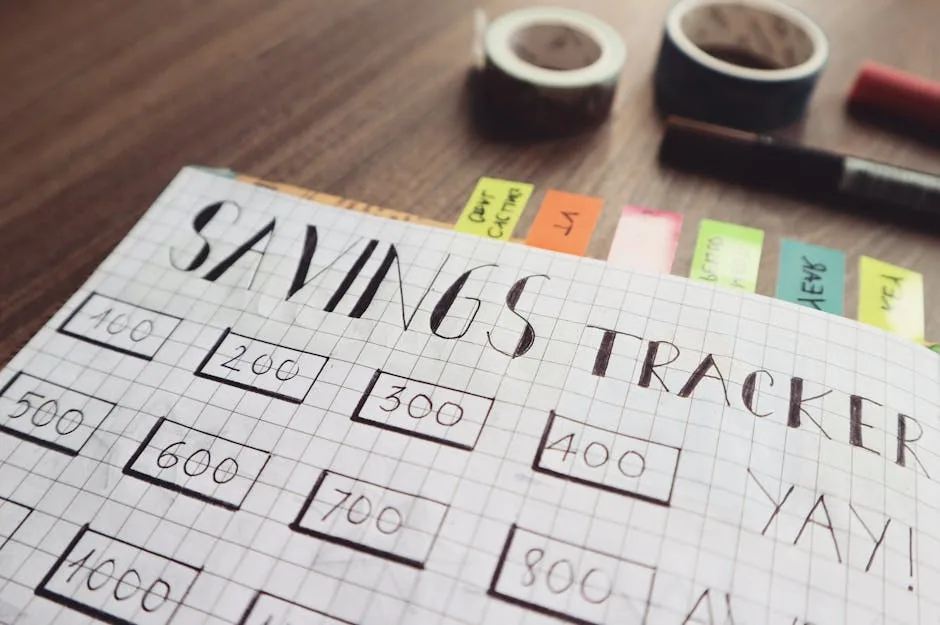
Photo by Bich Tran on Pexels
The Payday Ping: Setting Your Unbreakable Reminder
The dashboard provides the “why,” but you still need a reliable “when.” This is where your sinking fund reminders become automatic. The key is to link the action to an event you never miss: your paycheck.
Open your digital calendar right now (Google Calendar, Apple Calendar, Outlook, etc.) and create a single, recurring event for every payday. Here’s exactly how to set it up:
- Title: “Sinking Fund Transfer”
- Date/Time: The day (or morning after) you get paid. Set it to recur every pay period.
- Description: This is your action plan. Write: “1. Open [Your Bank App]. 2. Transfer $X to Sinking Fund Account. 3. Update Dashboard Balances.”
This one-time, five-minute setup does all the heavy lifting. The calendar alert acts as the external brain you needed. When the “ping” happens, you’re not deciding if you should contribute; you’re just following the clear instructions you already wrote. You can learn more about the psychology of habit stacking and implementation intentions from resources like James Clear’s work on atomic habits.
From Forgotten to Automatic: Making It Stick
Together, the dashboard and the calendar ping create a complete sinking fund reminder system. The visual tracker fuels your motivation by showing progress, and the timed alert provides the frictionless trigger. This moves the process from a taxing mental chore to a simple, almost thoughtless routine.
The system’s strength is in its simplicity, which reduces the chance of sinking fund memory lapse. If you miss a contribution because a payday was chaotic, there’s no shame or complex catch-up math. Just reschedule the calendar event for the next day and carry on. The goal is consistency, not perfection.
Over time, this two-part practice—seeing the progress and acting on the ping—builds genuine sinking fund habit formation. It stops being a thing you “forget to do” and starts being a thing you “just do,” like checking your email. You’ve outsourced the memory work to a system, freeing up your mental energy for everything else.
Your Next Move: Block 5 Minutes Today
The entire solution to forgetting sinking funds is built on one action you can take right now. Don’t overthink the perfect dashboard; a sticky note is a fantastic start. The non-negotiable step is the calendar alert.
So, here’s your decisive next step: Before you close this article, open your calendar app. Create the recurring “Sinking Fund Transfer” event for your next payday. Set the description. Hit save.
That’s it. You’ve just installed the easiest reminder system possible. The rest—updating your simple tracker, watching your balances grow—will flow naturally from that single, unbreakable ping. Start there, and your sinking funds will finally stop slipping your mind.